To narrow down the Cipher suites that a server supports:
If the server is publicly accessible,
https://www.ssllabs.com/ssltest/ runs a set of tests and returns a report providing a full range of information about the SSL/TLS software support by a server.
If the server is not publicly accessible, consider using
analyze-ssl tool from Noxxi.
The starting page for the test looks like the following:
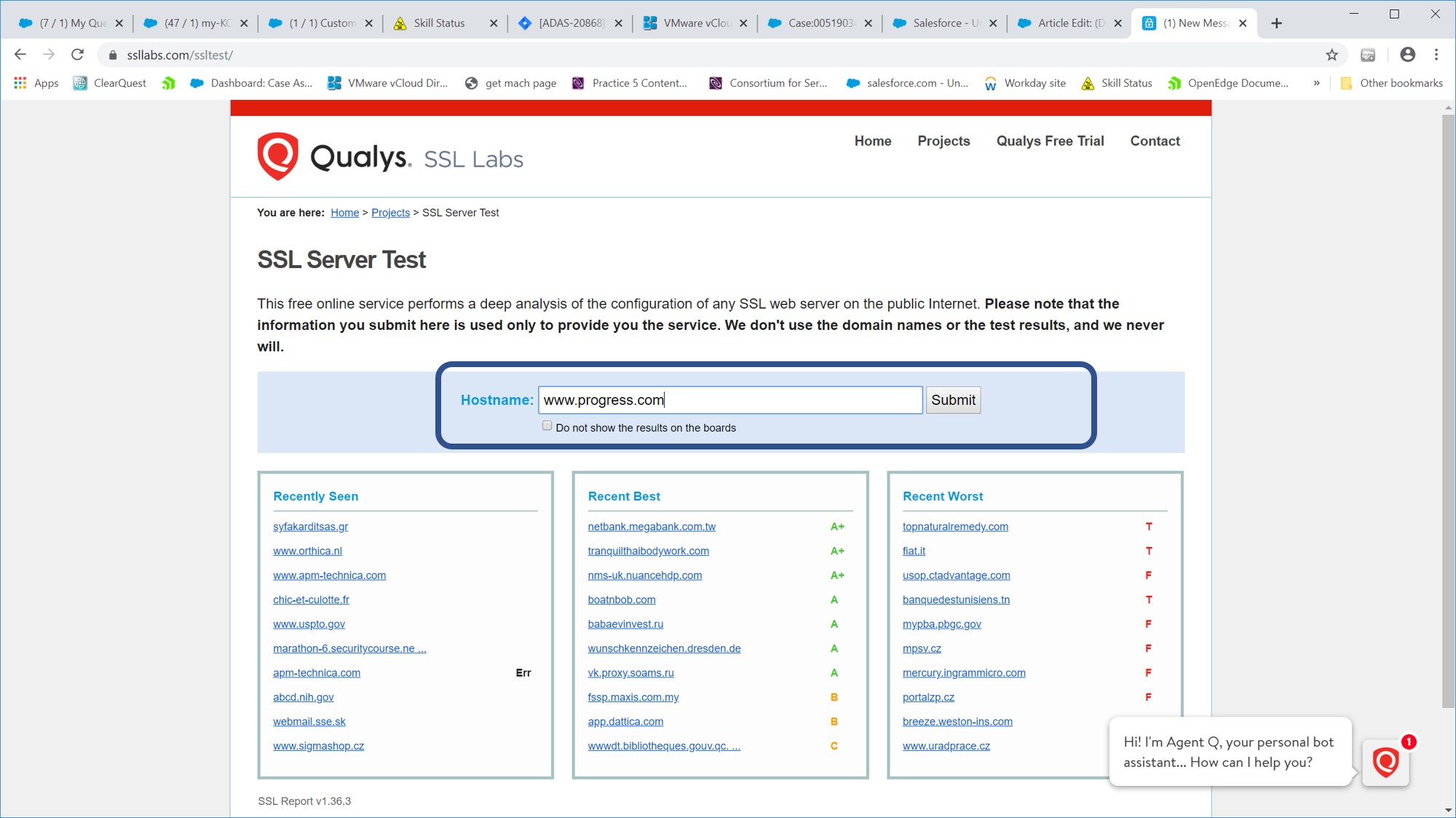
- On the site, enter the URL of the server, and wait while the report is generated. In this case progress.com is being tested.
- After hitting submit, the test runs for a few minutes. A percent completion number is displayed.
- When the tests are complete, scroll down to the protocols and cipher suites portions of the results page:
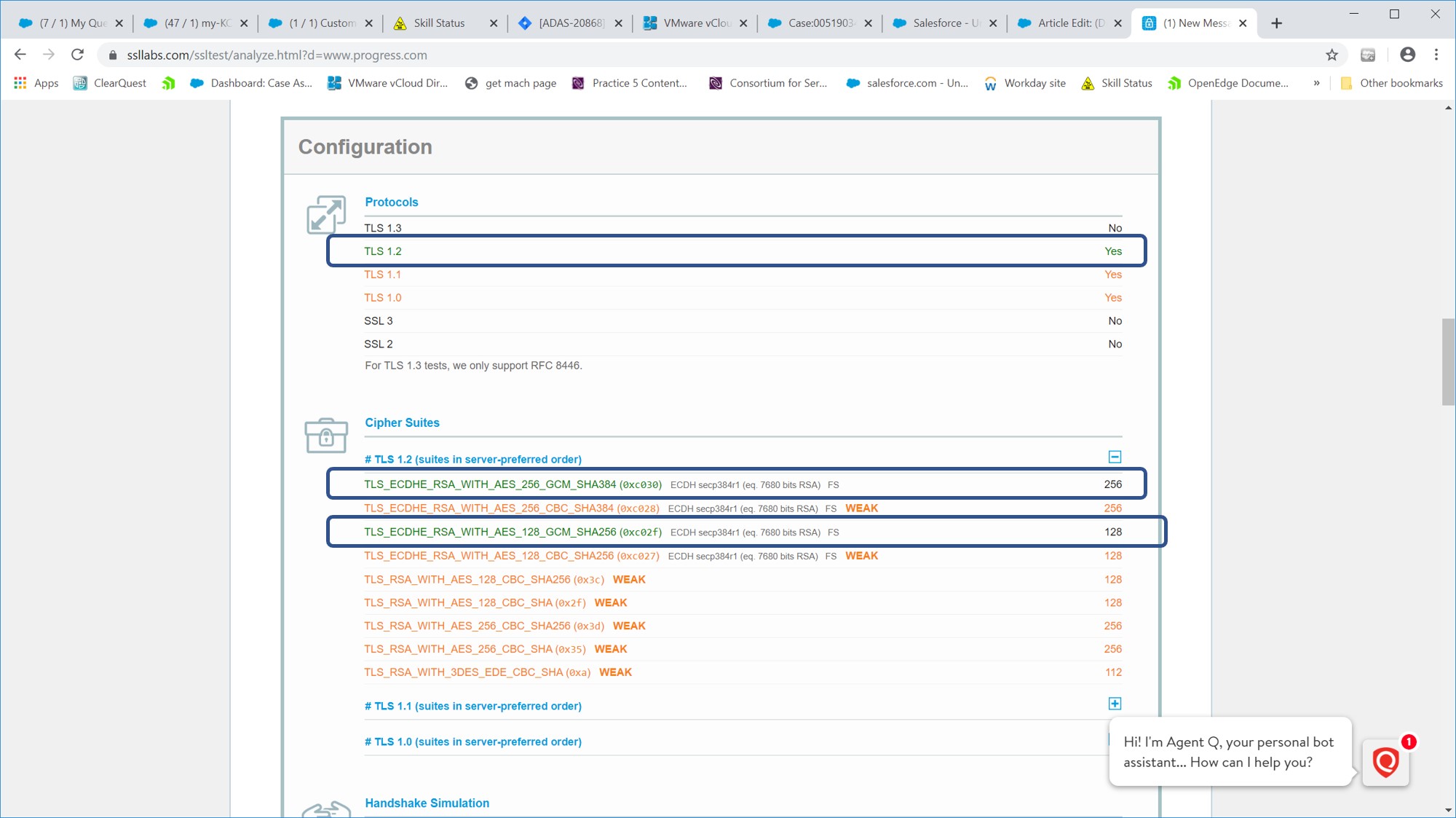
The results to focus on are encircled for clarity:
- Protocol version TLSv1.2 is highlighted as this is the strongest of the available protocol versions.
- Weak Cipher suites are identified such as:
TLS_ECDHE_RSA_WITH_AES_256_GCM_SHA384 (0xc030)
TLS_ECDHE_RSA_WITH_AES_128_GCM_SHA256 (0xc02f)
- Testing for the recommended setting for sslprotocols and sslciphers should begin with:
- Protocol version: TLSv1.2
- Cipher Suites:
TLS_ECDHE_RSA_WITH_AES_256_GCM_SHA384 (0xc030)
TLS_ECDHE_RSA_WITH_AES_128_GCM_SHA256 (0xc02f)
When setting sslciphers , the IANA name needs to be translated to the openssl name. This mapping is available at the following web site:
Mapping OpenSSL cipher suite names to IANA names
Example: IANA naming convention for OpenSSL
TLS_ECDHE_RSA_WITH_AES_256_GCM_SHA384 use ECDHE-RSA-AES256-GCM-SHA384
LS_ECDHE_RSA_WITH_AES_128_GCM_SHA256 use ECDHE-RSA-AES128-GCM-SHA256
If the server or webservice CANNOT be accessed from the internet use the URL below and download the application:
https://testssl.sh/ (Unix/Linux only)
Note: The tools above provide a detailed output. For a basic output a browser can be used instead https://helpcenter.gsx.com/hc/en-us/articles/207831828-How-to-identify-the-Cipher-used-by-an-HTTPS-Connection


