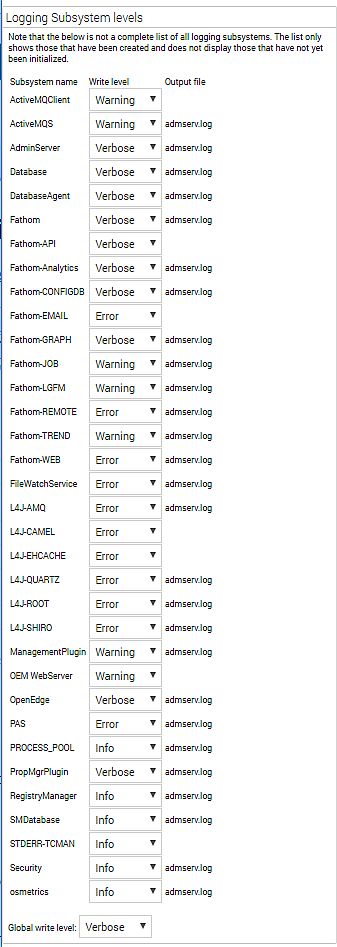
The Adminserver has to be restarted in order to increase the logging levels after modifying:
Since
OpenEdge 11.5 an AdminServer restart is no longer needed for increased logging levels to be effective, this can be done online:
- Login to the OE Console with an Admin privilege user.
- Open http://localhost:9090/diagnostics/logconsole.jsp
- Change the required logging level(s). The amount of information logged by each subsystem through system properties.
- When the logging level is changed a message is written to the admserv.log, example:
[Fathom] User admin changed subsystem Security log write level to 4
Example: Logging Subsystem levels
AdminServer & Security == Verbose;
OpenEdge == Extended
After increasing the AdminServer required logging levels, extended logging is written to the admserv.log file for as long as needed. For example:
- When a page is next accessed
- When a job is next started
- When osmetrics are next polled
- When CPU / memory start spiking
- When jvmstart is used
Once extended logging is no longer needed, turn off the advanced logging so that the logfiles do not grow. Changing the
"Global Write Level" is useful in this regard.
Note: It also resets at restart.